MCLWIE01 -- WLAN Connector
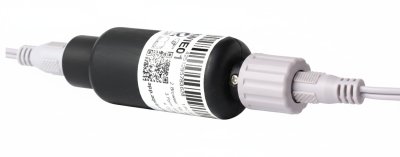
Product Description
The device enables control of Aqua-Scope KFR motors (KFRLWE02) via WLAN. The component is screwed into the waterproof power supply coupling of the motor and offers two communication methods:
- IoT Protocol MQTT: Requires an external MQTT broker (details in the developer manual)
- Smart Home Integration: Direct connection via JSON webhooks (details in the developer manual)
Power is supplied through the power supply cable into which the module is installed.
Connection and Communication
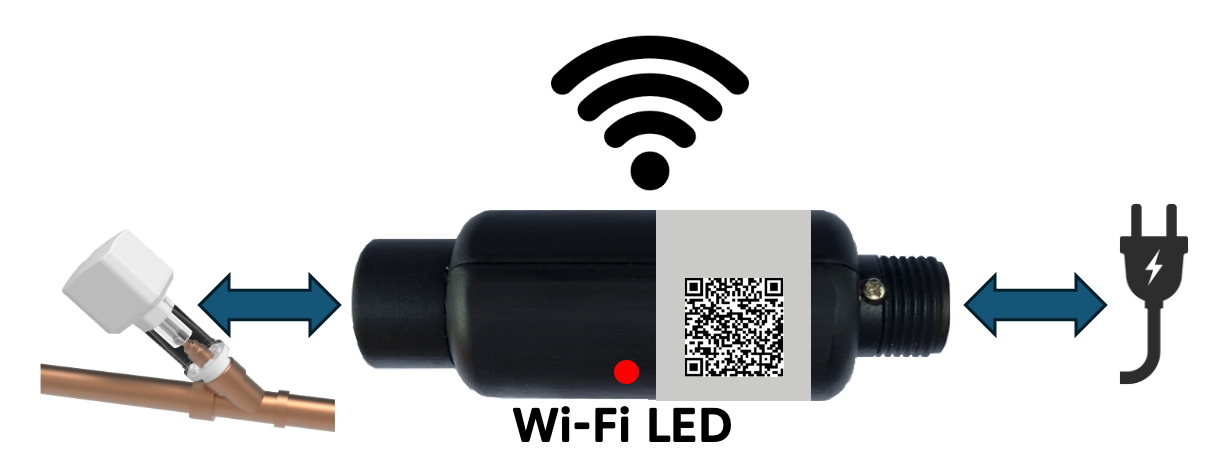
The WLAN setup is performed via the device's configuration page (SSID "Scope"). A detailed step-by-step guide can be found at WLAN Connection.
LED Indicators
| LED | Meaning |
|---|---|
| Green blinking every 5 seconds | Connected to WLAN, normal operation |
| Slow red/green blinking | Factory state -- ready to connect |
| Solid red | No motor connected, WLAN connection not possible |
Button Functions (Button on Motor)
| Action | Function |
|---|---|
| Press for 5 seconds (5 beeps) | Reset to factory state |
| Press for 3 seconds (in factory state) | Activate/deactivate WPS |
Connection Steps
- Step 1: In factory state, the module creates a WLAN network with the name "Scope" -- connect with your mobile phone or PC without a password.
- Step 2: Open the following address in a browser:
http://scope.local. A page with available local WLAN networks will be displayed. - Step 3: Select the desired WLAN, enter the password, and provide an email address for the account. Advanced MQTT settings are optional.
- Step 4: Redirect to the app at
https://app.aqua-scope.com-- sign in with an existing or new account for control and configuration access.
For Advanced Users
In addition to the Aqua-Scope app, further communication options are available and can be activated via Configuration -> Communication Options in the app:
- MQTT -- Integration into MQTT-based systems
- Home Assistant -- Automatic discovery in the dashboard
- JSON Webhook -- Custom web service with HTTP POST
- Modbus IP -- Industrial protocol (TCP Port 502)
- Local Web Server -- Direct access via browser on the LAN
info
The local web server and Modbus IP are only available in mains-powered mode, not in battery mode.
Technical Specifications
| Parameter | Value |
|---|---|
| SKU | MCLWIE01 |
| WLAN | IEEE 802.11 b/g/n (2.4 GHz) |
| Protocols | MQTT, JSON Webhook |
| Radio Emissions (WLAN) | 2.4 GHz broadband (EN 300 328) |